# Strapi CMS (TypeScript, JavaScript) on Docker
**URL:** https://forum.ficusonline.com/t/topic/505
**Category:** WEB Design
**Created:** [2024 年 1 月 25 日午前 7:04 UTC](https://forum.ficusonline.com/t/topic/505 "2024-01-25T07:04:43Z")
**Posts on this page:** 6
**Page:** 1
### Author:  [@tk-fuse](https://forum.ficusonline.com/u/tk-fuse)
#### Post date: [2024 年 1 月 25 日午前 7:04 UTC](https://forum.ficusonline.com/t/topic/505/1 "2024-01-25T07:04:44Z")
### Strapi
フロントエンドは、サイトを構築する各種データを、API経由で独立した別サーバから取得してレンダリングされます。このAPIサーバの役割を担うのがStrapiであり、別途フロンドエンドとしてテンプレートを用意する必要があります。
> **[GitHub - strapi/strapi: 🚀 Strapi is the leading open-source headless CMS....](https://github.com/strapi/strapi?tab=readme-ov-file)**
>
> 🚀 Strapi is the leading open-source headless CMS. It’s 100% JavaScript/TypeScript, fully customizable, and developer-first.
> **[Strapi - Open source Node.js Headless CMS 🚀](https://strapi.io/)**
>
> Strapi is the next-gen headless CMS, open-source, JavaScript/TypeScript, enabling content-rich experiences to be created, managed and exposed to any digital device.
### ドキュメント:Docker
> **[Docker | Strapi 5 Documentation](https://docs.strapi.io/cms/installation/docker)**
>
> Quickly create a Docker container from a local project.
> 注)Node.jsは偶数バージョンのLTS版のみサポート。現時点での最新LTSバージョンは20。
Node.jsのパッケージマネージャとしてYarnを採用。また、サポートしているデータベースは以下の通り。
| Database | Minimum | Recommended |
| --- | --- | --- |
| MySQL | 5.7.8 | 8.0 |
| MariaDB | 10.3 | 10.6 |
| PostgreSQL | 11.0 | 14.0 |
| SQLite | 3 | 3 |
### Dockerコンテナによる運用
Dockerコンテナで運用する場合、ホストマシン上で下記コマンドでプロジェクトを作成してから、docker-composeファイルによりプロジェクトをnodeコンテナで稼働するようにします。
下記コマンドでデータベースの指定も出来ます。
```auto
$ yarn create strapi-app project
```
データベースとしてMariaDBを選択してdocker-composeファイルを作成。
`docker-compose.yml`
```auto
version: "3"
services:
strapi:
container_name: strapi
image: node:20
restart: always
env_file: .env
environment:
NODE_ENV: ${NODE_ENV}
user: "node"
working_dir: /home/node/app
volumes:
- ./project:/home/node/app
ports:
- "1337:1337"
command: "yarn develop"
networks:
proxy-tier:
ipv4_address: 172.18.0.2
depends_on:
- mariadb
mariadb:
container_name: mariadb
platform: linux/amd64 #for platform error on Apple M1 chips
restart: always
env_file: .env
image: mariadb:latest
environment:
MYSQL_USER: ${DATABASE_USERNAME}
MYSQL_ROOT_PASSWORD: ${DATABASE_PASSWORD}
MYSQL_PASSWORD: ${DATABASE_PASSWORD}
MYSQL_DATABASE: ${DATABASE_NAME}
volumes:
- ./db:/var/lib/mysql
ports:
- "3306:3306"
networks:
proxy-tier:
ipv4_address: 172.18.0.3
# For IPv4 only
# docker network create --gateway 172.18.0.1 --subnet 172.18.0.0/24 containers-network
# IP Range 172.18.0.0/24
networks:
proxy-tier:
name: containers-network
external: true
```
---
### Author:  [@tk-fuse](https://forum.ficusonline.com/u/tk-fuse)
#### Post date: [2024 年 1 月 26 日午前 12:59 UTC](https://forum.ficusonline.com/t/topic/505/2 "2024-01-26T00:59:34Z")
## JSON Web Token
### Bardによる説明
JSON Web Token(JWT)は、JSON形式で表現された認証情報などをURL文字列などとして安全に送受信できるよう、符号化やデジタル署名の仕組みを規定した標準規格です。IETFによってRFC 7519として標準化されています。
JWTは、ヘッダー(header)、ペイロード(payload)、署名(signature)の3つの部分に分かれており、これらをそれぞれBase64URL方式で符号化して「.」 (ピリオド)で連結したものがトークンとなります。
**ヘッダー** は、トークンや署名の形式についての情報を格納する部分です。
- typ:トークンのタイプを指定します。通常は「JWT」を指定します。
- alg:署名アルゴリズムを指定します。
**ペイロード** は、伝達する情報の本体です。システムが必要とするデータを任意に指定することができます。
例えば、ユーザーのID、ロール、有効期限、などといった情報を指定することができます。
**署名** は、トークンの改ざんを検証するためのものです。
トークンの生成者は、ヘッダーとペイロードを結合した文字列を、秘密鍵で署名します。
トークンの検証者は、署名された文字列を公開鍵で検証することで、トークンが改ざんされていないことを確認することができます。
JWTは、以下のメリットがあります。
- 軽量でコンパクトなため、ネットワーク帯域を節約できます。
- URLセーフなため、HTTPヘッダーに含めて送信することができます。
- 署名によって改ざんを検証できるため、セキュリティが向上します。
JWTは、以下の用途で使用されています。
- 認証:ユーザーの認証情報(ID、ロール、有効期限)を送信するために使用されます。
- アクセス制御:ユーザーのアクセス権限を検証するために使用されます。
- シングルサインオン(SSO):複数のアプリケーションで共通の認証情報を使用できるようにするために使用されます。
JWTは、Webアプリケーションの認証やアクセス制御に広く使用されている標準規格です。
> **[JSON Web Token Introduction - jwt.io](https://www.jwt.io/introduction)**
>
> Learn about JSON Web Tokens, what are they, how they work, when and why you should use them.
[https://siddharthac6.medium.com/json-web-token-jwt-the-right-way-of-implementing-with-node-js-65b8915d550e](https://siddharthac6.medium.com/json-web-token-jwt-the-right-way-of-implementing-with-node-js-65b8915d550e)
---
### Author:  [@tk-fuse](https://forum.ficusonline.com/u/tk-fuse)
#### Post date: [2024 年 1 月 28 日午後 2:02 UTC](https://forum.ficusonline.com/t/topic/505/4 "2024-01-28T14:02:31Z")
## プロジェクトの作成
[https://www.npmjs.com/package/create-strapi-app?activeTab=readme](https://www.npmjs.com/package/create-strapi-app?activeTab=readme)
データベースを指定する場合、–quickstartオプションは除外。
```auto
$ yarn create strapi-app project
yarn create v1.22.21
warning package.json: No license field
[1/4] Resolving packages...
[2/4] Fetching packages...
[3/4] Linking dependencies...
[4/4] Building fresh packages...
success Installed "create-strapi-app@4.19.0" with binaries:
- create-strapi-app
[#####################################################################################################] 101/101? Ch? Choose your installation type Custom (manual settings)
? Choose your preferred language JavaScript
? Choose your default database client mysql
? Database name: strapi
? Host: mariadb
? Port: 3306
? Username: strapi
? Password: ***************? Enable SSL connection: No
...
...
```
Available commands in your project:
> yarn develop
> Start Strapi in watch mode. (Changes in Strapi project files will trigger a server restart)
>
> yarn start
> Start Strapi without watch mode.
>
> yarn build
> Build Strapi admin panel.
>
> yarn strapi
> Display all available commands.
docker-composeファイルについては前投稿記事参照。
```auto
$ docker compose up -d
$ docker compose logs strapi
strapi | yarn run v1.22.19
strapi | $ strapi develop
strapi | - Building build context
strapi |
strapi | [INFO] Including the following ENV variables as part of the JS bundle:
strapi | - ADMIN_PATH
strapi | - STRAPI_ADMIN_BACKEND_URL
strapi | - STRAPI_TELEMETRY_DISABLED
strapi | ✔ Building build context (130ms)
strapi | - Creating admin
strapi | ✔ Creating admin (18048ms)
strapi | - Loading Strapi
strapi | [2024-01-29 02:03:55.451] info: The Users & Permissions plugin automatically generated a jwt secret and stored it in .env under the name JWT_SECRET.
strapi | ✔ Loading Strapi (2071ms)
strapi | - Generating types
strapi | ✔ Generating types (551ms)
strapi |
strapi | Project information
strapi |
strapi | ┌────────────────────┬──────────────────────────────────────────────────┐
strapi | │ Time │ Mon Jan 29 2024 02:03:56 GMT+0000 (Coordinated … │
strapi | │ Launched in │ 2652 ms │
strapi | │ Environment │ development │
strapi | │ Process PID │ 56 │
strapi | │ Version │ 4.19.0 (node v20.11.0) │
strapi | │ Edition │ Community │
strapi | │ Database │ mysql │
strapi | └────────────────────┴──────────────────────────────────────────────────┘
strapi |
strapi | Actions available
strapi |
strapi | Welcome back!
strapi | To manage your project 🚀, go to the administration panel at:
strapi | http://localhost:1337/admin
strapi |
strapi | To access the server ⚡️, go to:
strapi | http://localhost:1337
```
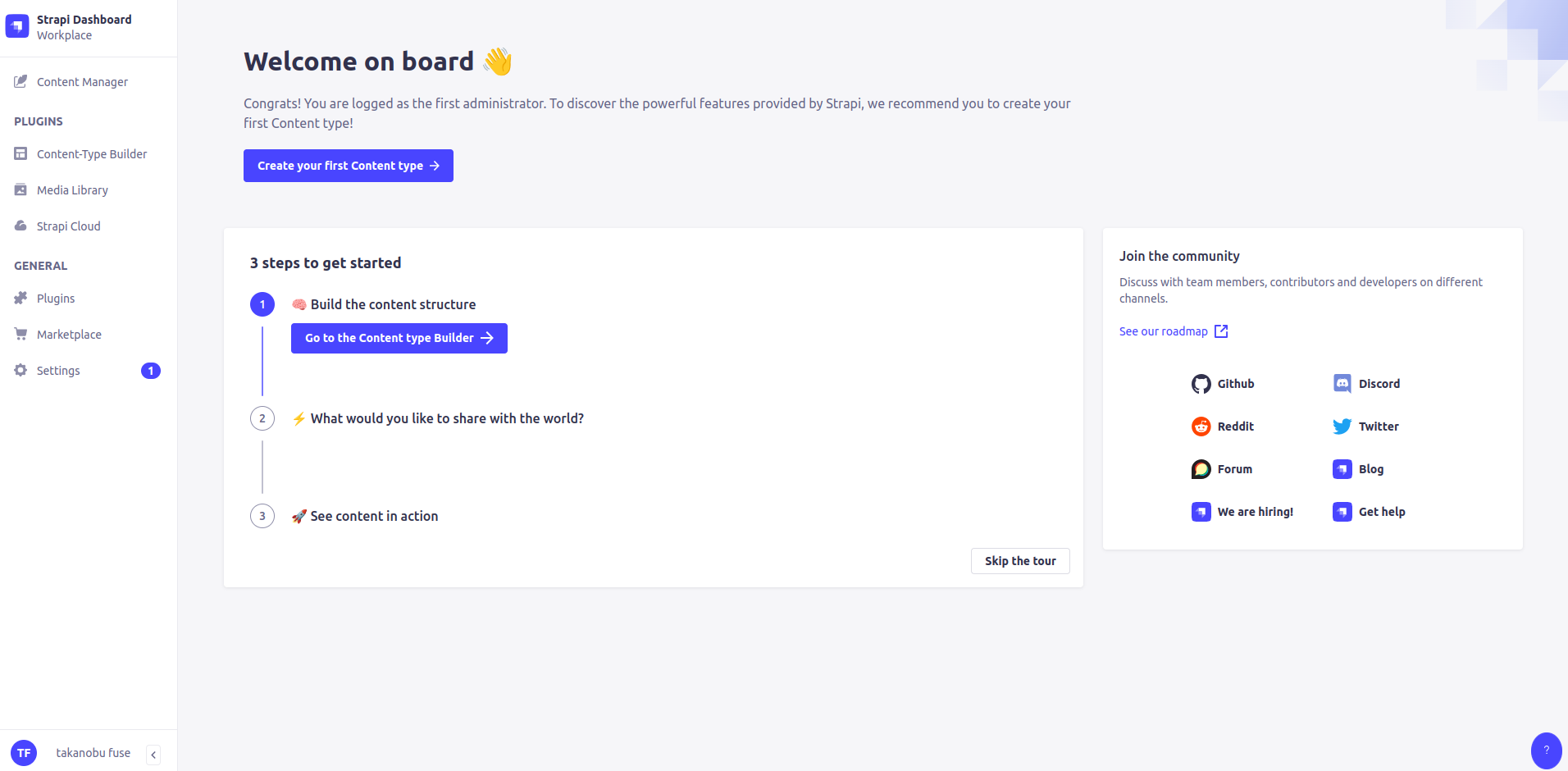
ユーザ登録してログイン:`http://localhost:1337/admin`
---
### Author:  [@tk-fuse](https://forum.ficusonline.com/u/tk-fuse)
#### Post date: [2024 年 1 月 29 日午後 1:21 UTC](https://forum.ficusonline.com/t/topic/505/5 "2024-01-29T13:21:49Z")
## テンプレートとStrapi(APIエンドポイント)サンプルデモ
> **[Templates | Strapi 5 Documentation](https://docs.strapi.io/cms/templates)**
>
> Use and create pre-made Strapi applications designed for a specific use case.
[GitHub - strapi/starters-and-templates: Monorepo for all official Strapi v4 templates · GitHub](https://github.com/strapi/starters-and-templates)
[GitHub - strapi/foodadvisor: 🥘 THE Strapi demo application · GitHub](https://github.com/strapi/foodadvisor)
[GitHub - strapi/nextjs-corporate-starter: Strapi Demo application for Corporate Websites using Next.js · GitHub](https://github.com/strapi/nextjs-corporate-starter)
[https://www.npmjs.com/search?q=%40strapi%2Ftemplate&page=0&perPage=20](https://www.npmjs.com/search?q=%40strapi%2Ftemplate&page=0&perPage=20)
* * *
## プラグイン
[Strapi Market](https://market.strapi.io/plugins)
* * *
## フロントエンドフレームワーク:Next.js
### The React Framework for the Web
> **[The best open-source headless CMS for Next.js](https://strapi.io/integrations/nextjs-cms)**
>
> The #1 headless CMS to build powerful applications with Next.js. Strapi is a new generation API-first CMS, made by developers for developers. Get started in minutes with Strapi and Next.js.
[https://vercel.com/templates/next.js/strapi-nextjs-corporate-starter](https://vercel.com/templates/next.js/strapi-nextjs-corporate-starter)
> **[Next.js by Vercel - The React Framework](https://nextjs.org/)**
>
> Next.js by Vercel is the full-stack React framework for the web.
> **[React](https://react.dev/)**
>
> React is the library for web and native user interfaces. Build user interfaces out of individual pieces called components written in JavaScript. React is designed to let you seamlessly combine components written by independent people, teams, and...
## フロントエンドフレームワーク:Gatsby
> **[The Best React-Based Framework | Gatsby](https://www.gatsbyjs.com/)**
>
> Gatsby is a React-based open source framework with performance, scalability and security built-in. Collaborate, build and deploy 1000x faster on Netlify.
> **[Starters Library | Gatsby](https://www.gatsbyjs.com/starters/)**
>
> Get up and running with pre-made Gatsby templates!
* * *
## Starpiデザインシステム
### ガイドライン
> **[storybook - Storybook](https://design-system.strapi.io/)**
### GitHub:ソース
> **[GitHub - strapi/design-system: Strapi.io's design system :rocket:](https://github.com/strapi/design-system)**
>
> Strapi.io's design system :rocket:
---
### Author:  [@tk-fuse](https://forum.ficusonline.com/u/tk-fuse)
#### Post date: [2024 年 2 月 2 日午前 2:37 UTC](https://forum.ficusonline.com/t/topic/505/6 "2024-02-02T02:37:02Z")
## デモ用サンプルデータの転送(SQLiteからMySQLへ)
> **[GitHub - strapi/nextjs-corporate-starter: Strapi Demo application for Corporate Websites...](https://github.com/strapi/nextjs-corporate-starter)**
>
> Strapi Demo application for Corporate Websites using Next.js
デモ用バックエンド(Strapi)のデータベースはSQLite形式で提供されているため、MySQL(MariaDB)をデータベースとする場合には、そのままでは利用できません。
以下2つのバックエンドを用意します。
- **①** 上記GitHubソース記載の手順に従い、SQLiteのサンプルデータを移植したバックエンド( **ポート1338** で起動)
- **②** ①のバックエンドフォルダをコピーして、設定ファイル`config/database.js`を各種データベースに対応するように変更し、`.env`ファイルで **MySQL(MariaDB)** を指定したバックエンド( **ポート1337** で起動、 **移行トークン** を管理画面から作成)
② `config/database.js`
```auto
const path = require('path');
module.exports = ({ env }) => {
const client = env('DATABASE_CLIENT', 'sqlite');
const connections = {
mysql: {
connection: {
connectionString: env('DATABASE_URL'),
host: env('DATABASE_HOST', 'localhost'),
port: env.int('DATABASE_PORT', 3306),
database: env('DATABASE_NAME', 'strapi'),
user: env('DATABASE_USERNAME', 'strapi'),
password: env('DATABASE_PASSWORD', 'strapi'),
ssl: env.bool('DATABASE_SSL', false) && {
key: env('DATABASE_SSL_KEY', undefined),
cert: env('DATABASE_SSL_CERT', undefined),
ca: env('DATABASE_SSL_CA', undefined),
capath: env('DATABASE_SSL_CAPATH', undefined),
cipher: env('DATABASE_SSL_CIPHER', undefined),
rejectUnauthorized: env.bool(
'DATABASE_SSL_REJECT_UNAUTHORIZED',
true
),
},
},
pool: { min: env.int('DATABASE_POOL_MIN', 2), max: env.int('DATABASE_POOL_MAX', 10) },
},
mysql2: {
connection: {
host: env('DATABASE_HOST', 'localhost'),
port: env.int('DATABASE_PORT', 3306),
database: env('DATABASE_NAME', 'strapi'),
user: env('DATABASE_USERNAME', 'strapi'),
password: env('DATABASE_PASSWORD', 'strapi'),
ssl: env.bool('DATABASE_SSL', false) && {
key: env('DATABASE_SSL_KEY', undefined),
cert: env('DATABASE_SSL_CERT', undefined),
ca: env('DATABASE_SSL_CA', undefined),
capath: env('DATABASE_SSL_CAPATH', undefined),
cipher: env('DATABASE_SSL_CIPHER', undefined),
rejectUnauthorized: env.bool(
'DATABASE_SSL_REJECT_UNAUTHORIZED',
true
),
},
},
pool: { min: env.int('DATABASE_POOL_MIN', 2), max: env.int('DATABASE_POOL_MAX', 10) },
},
postgres: {
connection: {
connectionString: env('DATABASE_URL'),
host: env('DATABASE_HOST', 'localhost'),
port: env.int('DATABASE_PORT', 5432),
database: env('DATABASE_NAME', 'strapi'),
user: env('DATABASE_USERNAME', 'strapi'),
password: env('DATABASE_PASSWORD', 'strapi'),
ssl: env.bool('DATABASE_SSL', false) && {
key: env('DATABASE_SSL_KEY', undefined),
cert: env('DATABASE_SSL_CERT', undefined),
ca: env('DATABASE_SSL_CA', undefined),
capath: env('DATABASE_SSL_CAPATH', undefined),
cipher: env('DATABASE_SSL_CIPHER', undefined),
rejectUnauthorized: env.bool(
'DATABASE_SSL_REJECT_UNAUTHORIZED',
true
),
},
schema: env('DATABASE_SCHEMA', 'public'),
},
pool: { min: env.int('DATABASE_POOL_MIN', 2), max: env.int('DATABASE_POOL_MAX', 10) },
},
sqlite: {
connection: {
filename: path.join(
__dirname,
'..',
env('DATABASE_FILENAME', '.tmp/data.db')
),
},
useNullAsDefault: true,
},
};
return {
connection: {
client,
...connections[client],
acquireConnectionTimeout: env.int('DATABASE_CONNECTION_TIMEOUT', 60000),
},
};
};
```
上記2つのバックエンドを同時に起動(docker-composeによるコンテナ起動)
`docker-compose.yml`
```auto
version: "3"
services:
strapi:
container_name: strapi
image: node:20
restart: always
env_file: .env
environment:
NODE_ENV: ${NODE_ENV}
user: "node"
working_dir: /home/node/app
# $ yarn create strapi-app project
volumes:
- ./backend:/home/node/app
ports:
- "1337:1337"
command: "yarn develop"
networks:
proxy-tier:
ipv4_address: 172.18.0.2
depends_on:
- mariadb
strapi1338:
container_name: strapi1338
image: node:20
restart: always
env_file: .env_1338
environment:
NODE_ENV: ${NODE_ENV}
user: "node"
working_dir: /home/node/app
# $ yarn create strapi-app project
volumes:
- ./backend_1338:/home/node/app
ports:
- "1338:1338"
command: "yarn develop"
networks:
proxy-tier:
ipv4_address: 172.18.0.3
mariadb:
container_name: mariadb
platform: linux/amd64 #for platform error on Apple M1 chips
restart: always
env_file: .env
image: mariadb:latest
environment:
MYSQL_USER: ${DATABASE_USERNAME}
MYSQL_ROOT_PASSWORD: ${DATABASE_PASSWORD}
MYSQL_PASSWORD: ${DATABASE_PASSWORD}
MYSQL_DATABASE: ${DATABASE_NAME}
volumes:
- ./db:/var/lib/mysql
ports:
- "3306:3306"
networks:
proxy-tier:
ipv4_address: 172.18.0.4
networks:
proxy-tier:
name: containers-network
external: true
```
`.env`
```auto
NODE_ENV=development
HOST=0.0.0.0
PORT=1337
APP_KEYS=xxxx
API_TOKEN_SALT=xxxxxx
ADMIN_JWT_SECRET=xxxxxxxxx
JWT_SECRET=xxxxxxxxxx
TRANSFER_TOKEN_SALT=xxxxxxxxxxxxxxxxxxxxxxxxxx
# Database default:sqlite
DATABASE_CLIENT=mysql
DATABASE_HOST=mariadb
DATABASE_PORT=3306
DATABASE_NAME=strapi
DATABASE_USERNAME=strapi
DATABASE_PASSWORD=xxxxxxxxxxxxxx
DATABASE_SSL=false
```
`.env_1338`
```auto
NODE_ENV=development
HOST=0.0.0.0
PORT=1338
APP_KEYS=xxxx
API_TOKEN_SALT=xxxxxx
ADMIN_JWT_SECRET=xxxxxxxxx
JWT_SECRET=xxxxxxxxxx
TRANSFER_TOKEN_SALT=xxxxxxxxxxxxxxxxxxxxxxxxxx
```
①コンテナ内で下記コマンドを実行しデータの移行を行います。
**①から②へデータを移行。**
> **[Data transfer | Strapi 5 Documentation](https://docs.strapi.io/cms/data-management/transfer)**
>
> Transfer data using the Strapi CLI
```auto
# yarn strapi transfer --to http://192.168.xx.xx:1337/admin --to-token xxxxxxx.....
? The transfer will delete existing data from the remote Strapi! Are you sure you want to proceed? Yes
Starting transfer...
✔ entities: 67 transfered (size: 52.5 KB) (elapsed: 701 ms)
✔ assets: 70 transfered (size: 23.3 MB) (elapsed: 6312 ms)
✔ links: 60 transfered (size: 11.4 KB) (elapsed: 149 ms)
✔ configuration: 66 transfered (size: 138.3 KB) (elapsed: 353 ms)
┌───────────────────────────────────────────────────┬───────┬───────────────┐
│ Type │ Count │ Size │
├───────────────────────────────────────────────────┼───────┼───────────────┤
│ entities │ 67 │ 52.5 KB │
├───────────────────────────────────────────────────┼───────┼───────────────┤
│ -- api::article.article │ 7 │ ( 21.3 KB) │
├───────────────────────────────────────────────────┼───────┼───────────────┤
│ -- api::author.author │ 2 │ ( 333 B ) │
├───────────────────────────────────────────────────┼───────┼───────────────┤
│ -- api::category.category │ 3 │ ( 604 B ) │
├───────────────────────────────────────────────────┼───────┼───────────────┤
│ -- api::global.global │ 1 │ ( 1.4 KB) │
├───────────────────────────────────────────────────┼───────┼───────────────┤
│ -- api::lead-form-submission.lead-form-submission │ 6 │ ( 1.1 KB) │
├───────────────────────────────────────────────────┼───────┼───────────────┤
│ -- api::page.page │ 2 │ ( 3.3 KB) │
├───────────────────────────────────────────────────┼───────┼───────────────┤
│ -- api::product-feature.product-feature │ 5 │ ( 1 KB) │
├───────────────────────────────────────────────────┼───────┼───────────────┤
│ -- plugin::i18n.locale │ 1 │ ( 158 B ) │
├───────────────────────────────────────────────────┼───────┼───────────────┤
│ -- plugin::upload.file │ 21 │ ( 19.6 KB) │
├───────────────────────────────────────────────────┼───────┼───────────────┤
│ -- plugin::users-permissions.permission │ 16 │ ( 3 KB) │
├───────────────────────────────────────────────────┼───────┼───────────────┤
│ -- plugin::users-permissions.role │ 3 │ ( 677 B ) │
├───────────────────────────────────────────────────┼───────┼───────────────┤
│ assets │ 70 │ 23.3 MB │
├───────────────────────────────────────────────────┼───────┼───────────────┤
│ -- .ico │ 1 │ ( 15 KB) │
├───────────────────────────────────────────────────┼───────┼───────────────┤
│ -- .jpg │ 52 │ ( 23 MB) │
├───────────────────────────────────────────────────┼───────┼───────────────┤
│ -- .png │ 13 │ ( 243.6 KB) │
├───────────────────────────────────────────────────┼───────┼───────────────┤
│ -- .svg │ 4 │ ( 17.7 KB) │
├───────────────────────────────────────────────────┼───────┼───────────────┤
│ links │ 60 │ 11.4 KB │
├───────────────────────────────────────────────────┼───────┼───────────────┤
│ configuration │ 66 │ 138.3 KB │
├───────────────────────────────────────────────────┼───────┼───────────────┤
│ Total │ 263 │ 23.5 MB │
└───────────────────────────────────────────────────┴───────┴───────────────┘
Transfer process has been completed successfully!
Done in 14.03s.
```
---
### Author:  [@tk-fuse](https://forum.ficusonline.com/u/tk-fuse)
#### Post date: [2024 年 2 月 4 日午前 7:04 UTC](https://forum.ficusonline.com/t/topic/505/7 "2024-02-04T07:04:20Z")
> **[Strapi & CKEditor: pairing headless CMS with WYSIWYG editor | CKEditor](https://ckeditor.com/blog/strapi-and-ckeditor/)**
>
> Using Strapi as a headless CMS and CKEditor as a WYSIWYG editor has numerous benefits for your team’s workflow, content creation and editing process.
> **[Radix UI](https://www.radix-ui.com/)**
>
> Components, icons, and colors for building high‑quality, accessible UI. Free and open-source.