# Directus CMS + Docker
**URL:** https://forum.ficusonline.com/t/topic/506
**Category:** WEB Design
**Created:** [2024 年 2 月 6 日午前 8:02 UTC](https://forum.ficusonline.com/t/topic/506 "2024-02-06T08:02:00Z")
**Posts on this page:** 20
**Page:** 1
### Author:  [@tk-fuse](https://forum.ficusonline.com/u/tk-fuse)
#### Post date: [2024 年 2 月 6 日午前 8:02 UTC](https://forum.ficusonline.com/t/topic/506/1 "2024-02-06T08:02:00Z")
> **[The Headless CMS + Backend for Every Custom Build](https://directus.io/)**
>
> Built for developers who need more than a CMS. Manage complex content, handle digital assets, and control permissions through an intuitive Studio.
### GitHub
> **[GitHub - directus/directus: The flexible backend for all your projects 🐰 Turn...](https://github.com/directus/directus/tree/main)**
>
> main
### DockerHub
[directus/directus - Docker Image](https://hub.docker.com/r/directus/directus)
### Dockerガイド
> **[Overview | Directus Docs](https://directus.io/docs/getting-started/overview)**
>
> Explore our resources and powerful data engine to build your projects confidently.
> **[General | Directus Docs](https://directus.io/docs/configuration/general)**
>
> Explore our resources and powerful data engine to build your projects confidently.
> **[Directus](https://www.youtube.com/@DirectusVideos)**
>
> Welcome to our YouTube channel, where we share video tutorials, release updates, feature overviews, and more!
>
> Directus is an Open Data Platform for managing the content of any SQL database. It provides a powerful API layer for developers and an...
データベースにPostgreSQLを選択。
`docker-compose.yml`
```yml
version: "3.7"
services:
##### redis-server
redis:
container_name: redis
image: redis:alpine
volumes:
- ./redis:/etc/redis
# Error Failed to write PID file, Permission denied ---> pidfile /tmp/redis_6379.pid in redis.conf
# WARNING overcommit_memory is set to 0! Background save may fail under low memory condition.
# To fix this issue add 'vm.overcommit_memory = 1' to /etc/sysctl.conf and then reboot or
# run the command 'sysctl vm.overcommit_memory=1' for this to take effect.---> on host machine!
# need to download default config file:redis.conf from https://redis.io/topics/config
# In redis.conf : bind 172.18.0.2, protected-mode no, maxmemory 250mb, maxmemory-policy allkeys-lru
command: ["redis-server", "/etc/redis/redis.conf"]
restart: always
networks:
proxy-tier:
ipv4_address: 172.18.0.2
postgres:
image: postgres:alpine
restart: unless-stopped
environment:
POSTGRES_DB: ${DB_DATABASE}
POSTGRES_USER: ${DB_USER}
POSTGRES_PASSWORD: ${DB_PASSWORD}
volumes:
- ./postgres-data:/var/lib/postgresql/data
networks:
proxy-tier:
ipv4_address: 172.22.0.3
directus:
container_name: directus
image: directus/directus:10.9.0
ports:
- 8055:8055
volumes:
- ./uploads:/directus/uploads
# If you want to load extensions from the host
# - ./extensions:/directus/extensions
depends_on:
- redis
- postgres
environment:
KEY: ${KEY}
SECRET: ${SECRET}
DB_CLIENT: ${DB_CLIENT}
DB_HOST: ${DB_HOST}
DB_PORT: ${DB_PORT}
DB_DATABASE: ${DB_DATABASE}
DB_USER: ${DB_USER}
DB_PASSWORD: ${DB_PASSWORD}
CACHE_ENABLED: "true"
CACHE_STORE: "redis"
REDIS: "redis://redis:6379"
# Should create aclfile /etc/redis/users.acl
#REDIS_USERNAME: ${REDIS_USERNAME}
#REDIS_PASSWORD: ${REDIS_PASSWORD}
ADMIN_EMAIL: ${ADMIN_EMAIL}
ADMIN_PASSWORD: ${ADMIN_PASSWORD}
CORS_ENABLED: true
CORS_ORIGIN: true
networks:
proxy-tier:
ipv4_address: 172.18.0.4
# Make sure to set this in production
# (see https://docs.directus.io/self-hosted/config-options#general)
# PUBLIC_URL: "https://directus.example.com"
# Environment variables can also be defined in a file (for example `.env`):
# env_file:
# - .env
# For IPv4 only
# docker network create --gateway 172.18.0.1 --subnet 172.18.0.0/24 containers-network
networks:
proxy-tier:
name: containers-network
external: true
```
`.env`
```auto
HOST="0.0.0.0"
PORT=8055
KEY="xxxx-xxxx-xxxx-xxxx-xxxx"
SECRET="xxxx-xxxx-xxxx-xxxx-xxxx"
DB_CLIENT="pg"
DB_HOST="postgres"
DB_PORT=5432
DB_DATABASE="directus"
DB_USER="directus"
DB_PASSWORD="xxxxxxxxxxxxxxxxxxxxxxxx"
ADMIN_EMAIL="xxxxxxxxxx@gmail.com"
ADMIN_PASSWORD="xxxxxxxxxxxxxxxxxxxxxxxxx"
```
## Database[](https://docs.directus.io/self-hosted/config-options.html#database)
| Variable | Description | Default Value |
| --- | --- | --- |
| `DB_CLIENT` | **Required**. What database client to use. One of `pg` or `postgres`, `mysql`, `oracledb`, `mssql`, `sqlite3`, `cockroachdb`. | – |
| `DB_HOST` | Database host. **Required** when using `pg`, `mysql`, `oracledb`, or `mssql`. | – |
| `DB_PORT` | Database port. **Required** when using `pg`, `mysql`, `oracledb`, or `mssql`. | – |
| `DB_DATABASE` | Database name. **Required** when using `pg`, `mysql`, `oracledb`, or `mssql`. | – |
| `DB_USER` | Database user. **Required** when using `pg`, `mysql`, `oracledb`, or `mssql`. | – |
| `DB_PASSWORD` | Database user’s password. **Required** when using `pg`, `mysql`, `oracledb`, or `mssql`. | – |
## Redis[](https://docs.directus.io/self-hosted/config-options.html#redis)
Directus requires Redis for multi-container deployments. This ensures that things like caching, rate-limiting, and WebSockets work reliably across multiple containers of Directus.
| Variable | Description | Default Value |
| --- | --- | --- |
| `REDIS` | Redis connection string, e.g., `redis://user:password@127.0.0.1:6380/4`. Using this will ignore the other Redis connection parameter environment variables | – |
| `REDIS_HOST` | Hostname of the Redis instance, e.g., `"127.0.0.1"` | – |
| `REDIS_PORT` | Port of the Redis instance, e.g., `6379` | – |
| `REDIS_USERNAME` | Username for your Redis instance, e.g., `"default"` | – |
| `REDIS_PASSWORD` | Password for your Redis instance, e.g., `"yourRedisPassword"` | – |
---
### Author:  [@tk-fuse](https://forum.ficusonline.com/u/tk-fuse)
#### Post date: [2024 年 2 月 6 日午前 11:38 UTC](https://forum.ficusonline.com/t/topic/506/2 "2024-02-06T11:38:57Z")
## Universally Unique Identifiers (UUIDs)
> **[How To Generate Universally Unique Identifiers (UUIDs) with uuidgen |...](https://www.digitalocean.com/community/tutorials/workflow-command-line-basics-generating-uuids)**
>
> Generate universally unique identifiers from the command-line using the uuidgen command.
`uuidgen`コマンド:Ubuntu22.04ではデフォルトでインストール済
```auto
$ uuidgen
e897956e-6a7b-4010-b7cc-6b3ce802916d
```
---
### Author:  [@tk-fuse](https://forum.ficusonline.com/u/tk-fuse)
#### Post date: [2024 年 2 月 7 日午前 1:10 UTC](https://forum.ficusonline.com/t/topic/506/3 "2024-02-07T01:10:41Z")
## トラブルシュート
### ログインエラー :データベースにMySQL(MariaDB)を選択した場合
`directus:log`
```bash
.......
.......
WARN: Some tables and columns do not match your database's default collation (utf8mb4_general_ci):
directus | - Table "directus_webhooks": "utf8mb4_general_ci"
directus | - Column "headers": "utf8mb4_bin"
directus | - Table "directus_files": "utf8mb4_general_ci"
directus | - Column "metadata": "utf8mb4_bin"
directus | - Table "directus_fields": "utf8mb4_general_ci"
directus | - Column "options": "utf8mb4_bin"
directus | - Column "display_options": "utf8mb4_bin"
directus | - Column "translations": "utf8mb4_bin"
directus | - Column "conditions": "utf8mb4_bin"
directus | - Column "validation": "utf8mb4_bin"
.......
.....
directus | [00:23:21] POST /auth/refresh 400 18ms
directus | [00:23:21] GET /auth 200 21ms
directus | [00:23:21] GET /server/info 200 26ms
directus | [00:23:21] GET /translations?fields[]=language&fields[]=key&fields[]=value&filter[language][_eq]=en-US&limit=-1 403 19ms
directus | [00:23:35] POST /auth/login 401 569ms
directus | [00:25:56] POST /auth/login 401 534ms
directus | [00:26:18] POST /auth/login 401 516ms
directus | [00:29:22] GET /en/admin/login 404 18ms
```
MariaDBコンテナにコマンドオプションを追加。
`docer-compose.yaml`
```auto
mariadb:
container_name: mariadb
restart: always
image: mariadb:latest
environment:
MYSQL_USER: ${DB_USER}
MYSQL_ROOT_PASSWORD: ${DB_PASSWORD}
MYSQL_PASSWORD: ${DB_PASSWORD}
MYSQL_DATABASE: ${DB_DATABASE}
volumes:
- ./db:/var/lib/mysql
command:
[
"--character-set-server=utf8mb4",
"--collation-server=utf8mb4_bin",
]
```
> **[How to run directus with MySQL via docker compose? · directus directus ·...](https://github.com/directus/directus/discussions/17005)**
>
> I can’t get directus running with MySQL. It works fine with PostgreSQL, but I haven’t worked with PostgreSQL databases before. So I am afraid that I can’t deal with it, when an accident happens. Th...
[mariadb Command-Line Client | Server | MariaDB Documentation](https://mariadb.com/kb/en/mariadb-command-line-client/#-default-authplugin)
* * *
### CORSエラー
ページのリンク先へのジャンプがリジェクトされるエラー。
> **[directus/directus](https://github.com/directus/directus/issues?q=cors)**
>
> The flexible backend for all your projects 🐰 Turn your DB into a headless CMS, admin panels, or apps with a custom UI, instant APIs, auth & more. - directus/directus
**CORS**
> **[General | Directus Docs](https://directus.io/docs/configuration/general)**
>
> Explore our resources and powerful data engine to build your projects confidently.
directusコンテナの環境変数でCORSを有効にすること。
| Variable | Description | Default Value |
| --- | --- | --- |
| CORS\_ENABLED | Whether or not to enable the CORS headers. | false |
| CORS\_ORIGIN | Value for the Access-Control-Allow-Origin header. Use true to match the Origin header, or provide a domain or a CSV of domains for specific access | false |
| CORS\_METHODS | Value for the Access-Control-Allow-Methods header. | GET,POST,PATCH,DELETE |
| CORS\_ALLOWED\_HEADERS | Value for the Access-Control-Allow-Headers header. | Content-Type,Authorization |
| CORS\_EXPOSED\_HEADERS | Value for the Access-Control-Expose-Headers header. | Content-Range |
| CORS\_CREDENTIALS | Whether or not to send the Access-Control-Allow-Credentials header. | true |
| CORS\_MAX\_AGE | Value for the Access-Control-Max-Age header. | 18000 |
> **[Where product teams design, test and optimize agents at Enterprise Scale](https://www.restack.io/)**
>
> The open-source stack enabling product teams to improve their agent experience while engineers make them reliable at scale on Kubernetes.
* * *
## ロケール変更時エラー
> setLocale(locale === ‘en’ ? ‘ja’ : ‘en’); の箇所について以下の警告
> ‘WritableComputedRef’ 型と ‘string’ 型が重複していないため、この比較は意図したとおりに表示されない可能性があります
はい、その警告は、`locale` 変数が `WritableComputedRef` 型であるために発生します。
**問題:**
`WritableComputedRef` 型は、値が変更可能な計算プロパティを表します。つまり、`locale` 変数の値は、コード実行中に変更される可能性があります。
一方、`string` 型は、文字列リテラルを表します。つまり、`'en'` や `'ja'` などの文字列は、コード実行中に変更されません。
**解決策:**
この警告を解決するには、`locale` 変数の値を比較する前に、明示的に文字列に変換する必要があります。
**解決策 1:**
`JavaScriptconst changeLocale = () =\> {
// 現在のロケールを取得
const currentLocale = locale.value;
// 現在のロケールが ‘en’ の場合は ‘ja’ に設定し、
// ‘ja’ の場合は ‘en’ に設定する
setLocale(currentLocale === ‘en’ ? ‘ja’ : ‘en’);
};`
Use code [with caution.](https://gemini.google.com/faq#coding)
content\_copy
上記のように、`locale.value` を使用して、`locale` 変数の現在の値を取得することができます。
**解決策 2:**
`JavaScriptconst changeLocale = () => { // 現在のロケールが 'en' の場合は 'ja' に設定し、 // 'ja' の場合は 'en' に設定する setLocale(locale === 'en' ? 'ja' : 'en', locale.value); };`
Use code [with caution.](https://gemini.google.com/faq#coding)
content\_copy
上記のように、`setLocale()` 関数の第 2 引数に `locale.value` を渡すことで、現在のロケールと比較することができます。
`agency-os/pages/posts/index.vue`
```auto
const pagePromise = useDirectus(
readSingleton('pages_blog', {
// deep: {
// translations: {
// _filter: {
// languages_code: { _eq: languageCode},
// },
// },
// },
fields: [
'*',
{
seo: ['*'],
featured_post: [
'id',
'slug',
//'title',
//'summary',
'type',
{ image: ['id', 'title', 'description'], author: ['name', 'image', 'job_title'], translations: ['languages_code', 'title', 'summary'] },
],
},
],
}),
);
```
`agency-os/components/post/PostCard.vue`
```java
現在のロケール:
{{ localeTranslation?.summary }}
```
* * *
⚠
### DirectusをDevモードで起動したことに起因。ビルド後起動することで以下の問題はクリア。
### セキュアウェブソケット:wssエラー
Nginxのリバースプロキシの設定で、以下のディレクトリへのアクセスをwssのポートへ誘導、docker-composeファイルでもそのポートを開放。
> **[Nuxt 3.2 running through Docker with Nginx · nuxt nuxt · Discussion #19223](https://github.com/nuxt/nuxt/discussions/19223)**
>
> Hello, i have tried a lot and after a lot of research i cant successfully run a Nuxt3.2 app through docker, the base problems are : nuxt app takes more than 15 minutes to get up in localhost:8010 i...
```auto
# For nuxt hmr
location /_nuxt/ {
proxy_pass http://172.22.0.1:24678;
proxy_set_header Host $host;
proxy_set_header X-Real-IP $remote_addr
proxy_set_header X-Forwarded-For $proxy_add_x_forwarded_for;
proxy_set_header X-Forwarded-Proto $scheme;
}
```
SyntaxError: Failed to construct ‘WebSocket’: The URL ‘wss://localhost:undefined/’ is invalid
>
>
> \### Build tool
>
> Vite
>
> \### Where do you see the problem?
>
> \- \[X\] In the browser
> \- …\[\] In the terminal
>
> \### Describe the bug
>
> I'm seeing these errors while in development (\`npm run dev\`):
>
> !\[image\](https://user-images.githubusercontent.com/4110567/234469061-6952b7ef-567b-4385-b629-a18f2cc7925b.png)
>
> I don't recall seeing this error message before. Can I safely ignore these errors, or is it something that needs to be fixed?
>
> \### Reproduction
>
> https://github.com/Jemeni11/Chrome-Extension-CRXJS-Vite-TS-Template
>
> \### Logs
>
> \_No response\_
>
> \### System Info
>
> \`\`\`shell
> System:
> OS: Windows 10 10.0.19044
> CPU: (8) x64 Intel(R) Core(TM) i7-7700HQ CPU @ 2.80GHz
> Memory: 15.63 GB / 31.95 GB
> Binaries:
> Node: 16.20.0 - C:\\Program Files\\nodejs\\node.EXE
> npm: 8.19.4 - C:\\Program Files\\nodejs\\npm.CMD
> Browsers:
> Edge: Spartan (44.19041.1266.0), Chromium (112.0.1722.58)
> Internet Explorer: 11.0.19041.1566
> \`\`\`
>
>
> \### Severity
>
> annoyance
### geminiによる説明
上記のNuxt config設定は、**ViteのHMR (Hot Module Replacement) をWSS (WebSocket Secure Sockets Layer) 経由で実行するための設定**です。
**詳細:**
- `hooks` オブジェクトは、Nuxt 3で導入された新しい機能で、ビルドプロセスや開発サーバーの動作をカスタマイズするために使用できます。
- `'vite:extendConfig'` フックは、Viteの内部設定を拡張するために使用できます。
- 上記の設定では、`viteInlineConfig.server` オブジェクトに以下の設定を追加しています。
- `hmr.protocol`: HMR接続に使用するプロトコルを指定します。この設定では、`wss` を指定しています。
- `hmr.port`: HMRサーバーのポート番号を指定します。デフォルトは `8080` です。
**この設定の利点:**
- WSSを使用することで、HMR接続を暗号化できます。
- WSSを使用することで、HMR接続をより安全にすることができます。
**この設定の注意事項:**
- WSSを使用するには、ファイアウォール設定でWSSポートを開放する必要があります。
- WSSを使用するには、クライアント側でWSS接続をサポートする必要があります。
#### ViteのHMR (Hot Module Replacement) とは?
ViteのHMRは、開発中にコードを変更した際に、ブラウザをリロードせずに自動的に更新を反映する機能です。従来の開発ワークフローでは、コードを変更するたびにブラウザをリロードする必要があり、時間がかかり、煩わしいものでした。HMRはこの問題を解決し、開発効率を大幅に向上させます。
#### HMRの仕組み
HMRは、WebSocketを使用してブラウザとサーバー間の双方向通信を実現します。コードに変更が加えられると、ViteサーバーはWebSocketを通じてクライアントに通知します。クライアントは変更されたモジュールのみをダウンロードし、ブラウザに反映します。
#### HMRの利点
- **高速な開発:** ブラウザのリロードを待つ必要がないため、開発速度が大幅に向上します。
- **効率的なワークフロー:** コード変更の影響をすぐに確認できるため、デバッグやテストが容易になります。
- **優れた開発体験:** ブラウザのリロードによる画面のちらつきがなく、スムーズな開発体験を提供します。
#### HMRの使用方法
HMRは、Viteプロジェクトでデフォルトで有効になっています。特別な設定は必要ありません。コードを変更して保存すると、HMRが自動的に更新を反映します。
---
### Author:  [@tk-fuse](https://forum.ficusonline.com/u/tk-fuse)
#### Post date: [2024 年 2 月 7 日午前 11:15 UTC](https://forum.ficusonline.com/t/topic/506/4 "2024-02-07T11:15:11Z")
## フロントエンドテンプレート
[https://github.com/directus-community/awesome-directus#examples--showcases](https://github.com/directus-community/awesome-directus#examples--showcases)
[https://github.com/directus-community/directus-template-cli](https://github.com/directus-community/directus-template-cli)
### ⚠ NuxtのDevツールを利用する場合には、必ずhttp://localhost:3000を利用すること。
* * *
## AgencyOS(テンプレート)のインストール
[https://github.com/directus-community/agency-os](https://github.com/directus-community/agency-os)
### テンプレートデータのインポート
> 注)事前に管理画面でTokenを作成
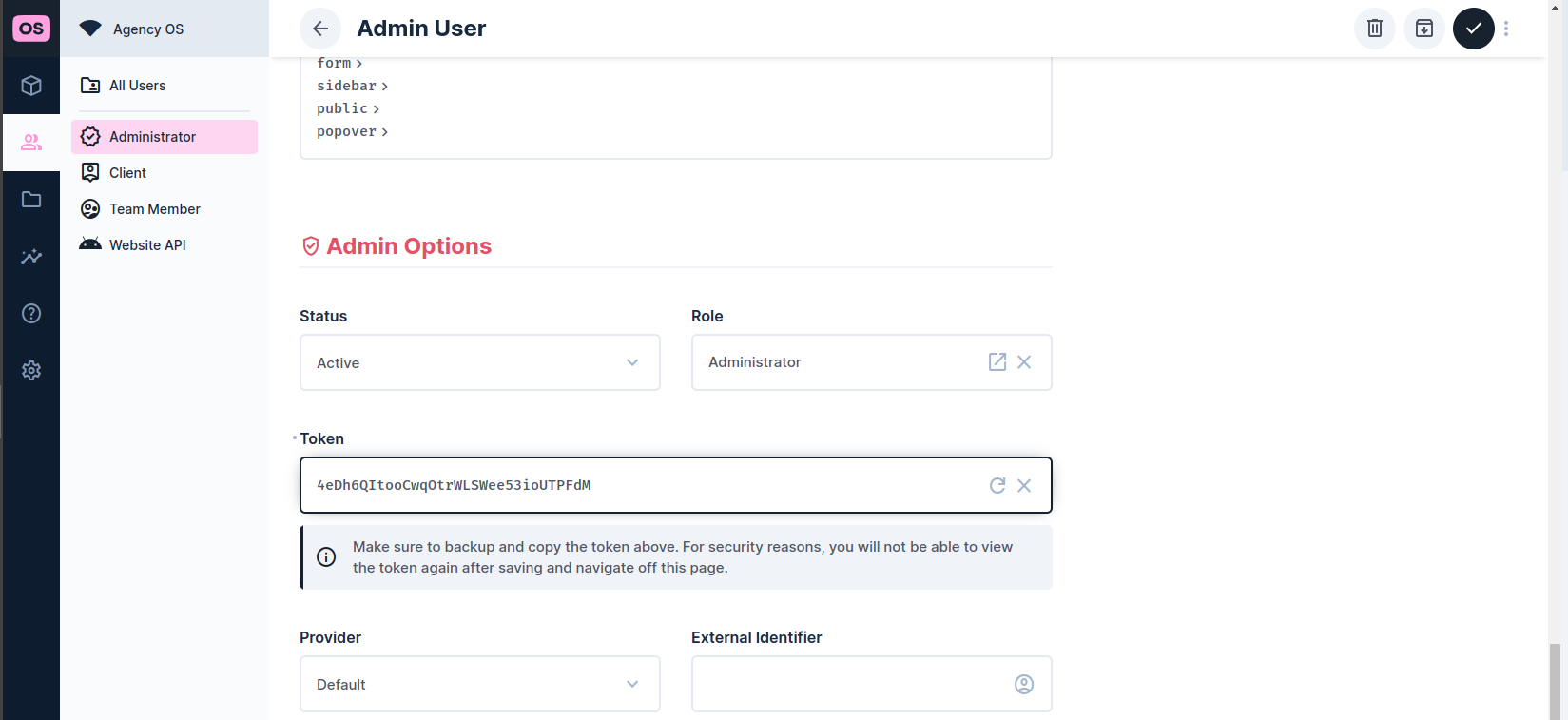
> 注)インポート先のURLとしてdirectusコンテナのアドレス:ポートを指定すること
Directusコンテナ内でAgencyOSのテンプレートデータをインポート(JSONフォーマットデータに対応したPostgreSQLが必須条件)
```auto
$ docker compose exec directus sh
/directus $ npx directus-template-cli@latest apply
Need to install the following packages:
directus-template-cli@0.3.6
Ok to proceed? (y)
? What type of template would you like to apply? Official templates
? Select a template. AgencyOS
You selected AgencyOS
------------------
What is your Directus URL?: http://172.18.0.4:8055
What is your Directus Admin Token?: xxxxxxxxxxxxxxxxxxxxxxxxxxxxxxxxxxxx
------------------
Loaded Schema
Applying template - AgencyOS... ⣽
Loaded Roles
Loaded Folders
Loaded Files
Loaded Users
Loaded Dashboards
Loaded Panels
Loaded Data
Loaded Flows
Loaded Operations
Loaded Presets
Loaded Settings
Applying template - AgencyOS... ⡿
Loaded Permissions
Applying template - AgencyOS... done
------------------
Template applied successfully.
```
### テンプレートフロントエンド起動
ソースをダウンロード・ディレクトリへ移動
```auto
$ git clone https://github.com/directus-community/agency-os.git
$ cd agency-os
```
.envファイルを作成
`.env`
```auto
# Directus Setup
DIRECTUS_URL="https://your-instance.directus.app"
DIRECTUS_SERVER_TOKEN="your_directus_server_token_for_server_only_routes"
SITE_URL="http://localhost:3000"
```
pnpmを有効にして関連パッケージをダウンロード・テンプレートを起動
```auto
$ corepack enable pnpm
$ pnpm i
$ pnpm dev
```
> **[Installation | pnpm](https://pnpm.io/installation)**
>
> Prerequisites
## pnpmとnpmの違い
pnpmとnpmは、JavaScriptプロジェクトで依存関係を管理するために使用されるパッケージマネージャーです。どちらも多くの機能を共有していますが、いくつかの重要な違いがあります。
**1. ディスク容量の使用量**
pnpmは、npmと比較してディスク容量の使用量が大幅に少ないことが特徴です。これは、pnpmが依存関係をグローバルに保存し、シンボリックリンクを使用してプロジェクトにインストールするためです。一方、npmは各プロジェクトに依存関係の個別のコピーをインストールします。
**2. インストール速度**
pnpmは、npmよりもインストール速度が速いことが特徴です。これは、pnpmが依存関係を並行してインストールし、キャッシュを使用して以前インストールされた依存関係を再利用するためです。
**3. 厳格なパッケージ管理**
pnpmは、npmよりも厳格なパッケージ管理を提供します。これは、pnpmが依存関係のバージョンを厳密に管理し、互換性のないバージョンをインストールできないようにするためです。
**4. ワークスペース**
pnpmは、ワークスペースと呼ばれる機能を提供します。ワークスペースは、プロジェクトのグループをまとめて管理するための方法です。ワークスペースを使用すると、プロジェクト間で依存関係を共有したり、異なるバージョンの依存関係を異なるプロジェクトで使用したりすることができます。
**5. コミュニティ**
npmは、pnpmよりも大きなコミュニティとエコシステムを持っています。これは、npmがより長い歴史を持つためです。しかし、pnpmのコミュニティは急速に成長しており、多くの新しいツールやライブラリがpnpmをサポートしています。
* * *
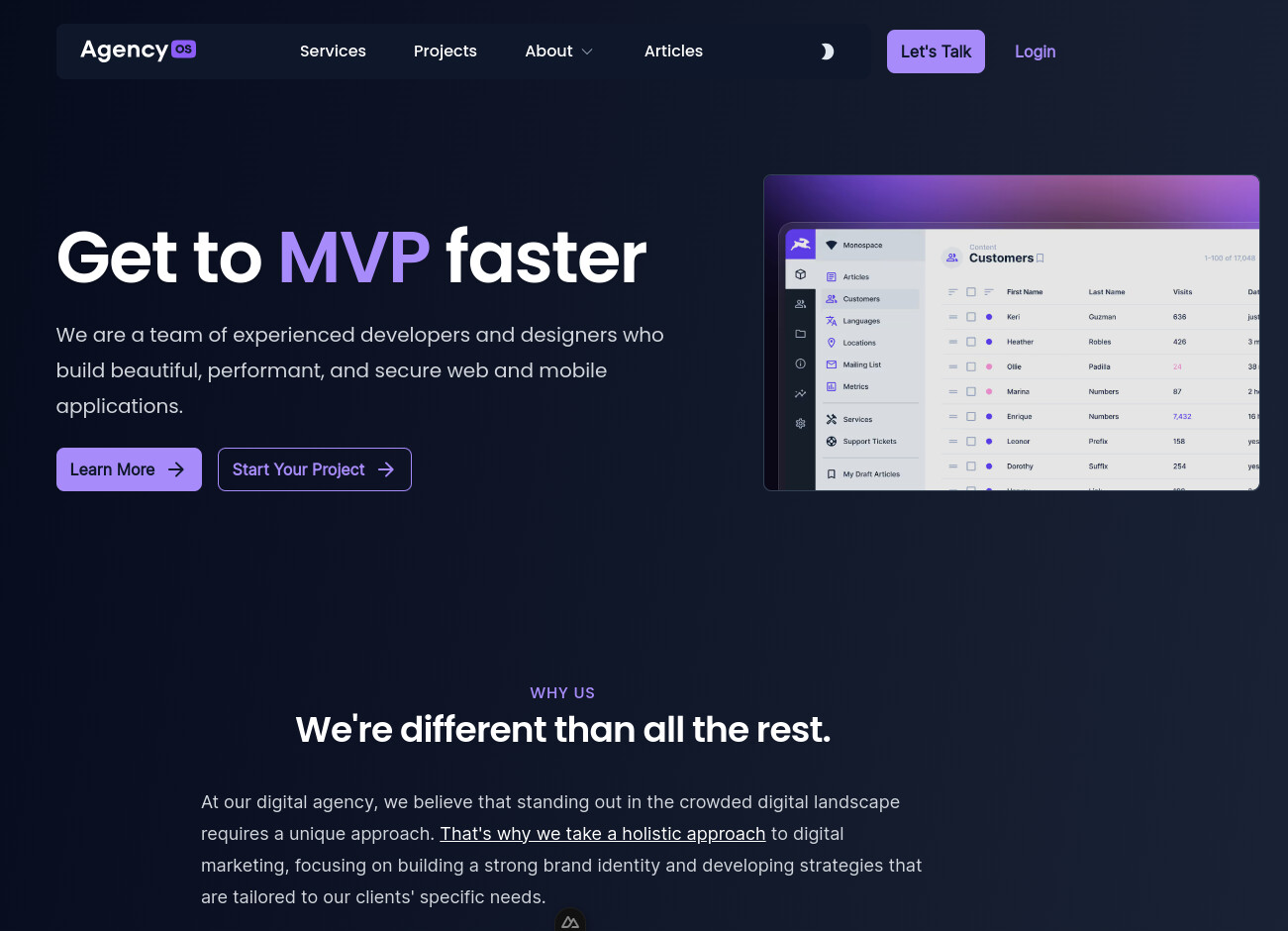
> 注)directus側でCORSを有効にすること。
`http://localhost:3000`
### コンテナとして起動する場合
Agency-OSはpnpmによりパッケージを管理しているため、pnpmがデフォルトで有効になるようにdebianベースのイメージファイルから新たなイメージを作成。
`dockerfile`
```auto
FROM debian:stable-slim
RUN apt-get update && apt-get install -y nano curl git
RUN curl -fsSL https://deb.nodesource.com/setup_20.x | bash - && apt-get install -y nodejs
RUN corepack enable pnpm
```
新規イメージのビルド
```auto
$ docker build --no-cache -t debian:node20-slim .
```
> 注)Agency-OSの.envファイルのDIRECTUS\_URLはホストマシンのローカルアドレス:ポート番号とすること(コンテナから見たlocalhostは、ホストマシンのlocalhostではないため)。
各パッケージのインストールとデバックモードで起動
```auto
$ docker run -it --rm --name my-running-script -p 3000:3000 -v ./agency-os:/app -w /app debian:node20-slim bash -c "pnpm i && pnpm dev"
```
docker-composeファイルに追加する場合は以下のセクションを追加。
または独立した専用のdocker-composeファイルを作成(ネットワークはDirectusと共有)。entrypointとして初回起動時はbashを指定し、コンテナ内でパッケージのインストール、ビルドなどを行うこと。ビルド後は静的ページが作成されるので、プロダクションモード(nodeコマンド)でコンテナを起動。
```auto
agency-os:
container_name: agency-os
### custom image created by dockerfile
image: debian:node20-slim
tty: true
restart: unless-stopped
working_dir: /app
volumes:
- ./agency-os:/app
ports:
- "3000:3000"
# entrypoint: ["/bin/bash"] # Initial entry point. need to execute "pnpm i" then "pnpm build" or start debug mode "pnpm dev"
entrypoint: ["node", ".output/server/index.mjs"] # after "pnpm build" for running static pages
networks:
proxy-tier:
ipv4_address: 172.18.0.5
depends_on:
- directus
```
パッケージを再インストールする場合は、node\_modules と pnpm-lock.yaml ファイルを削除してから再インストール pnpm i を実行。
```shell
# rm -rf node_modules pnpm-lock.yaml
# pnpm i
```
---
### Author:  [@tk-fuse](https://forum.ficusonline.com/u/tk-fuse)
#### Post date: [2024 年 2 月 13 日午前 4:06 UTC](https://forum.ficusonline.com/t/topic/506/5 "2024-02-13T04:06:33Z")
## API
> **[Server | Directus Docs](https://directus.io/docs/api/server)**
>
> Explore our resources and powerful data engine to build your projects confidently.
### Request
**REST**
`GET /server/specs/oas`
`GET /server/specs/graphql/`
`GET /server/specs/graphql/system`
`GET /server/ping`
`GET /server/info`
`GET /items/pages`
https://www.youtube.com/embed/FR_cDNCzRa8?feature=oembed&wmode=opaque&list=PLD--x9rY3ZL18tlVM2ljEuCA1ml3qaiE4
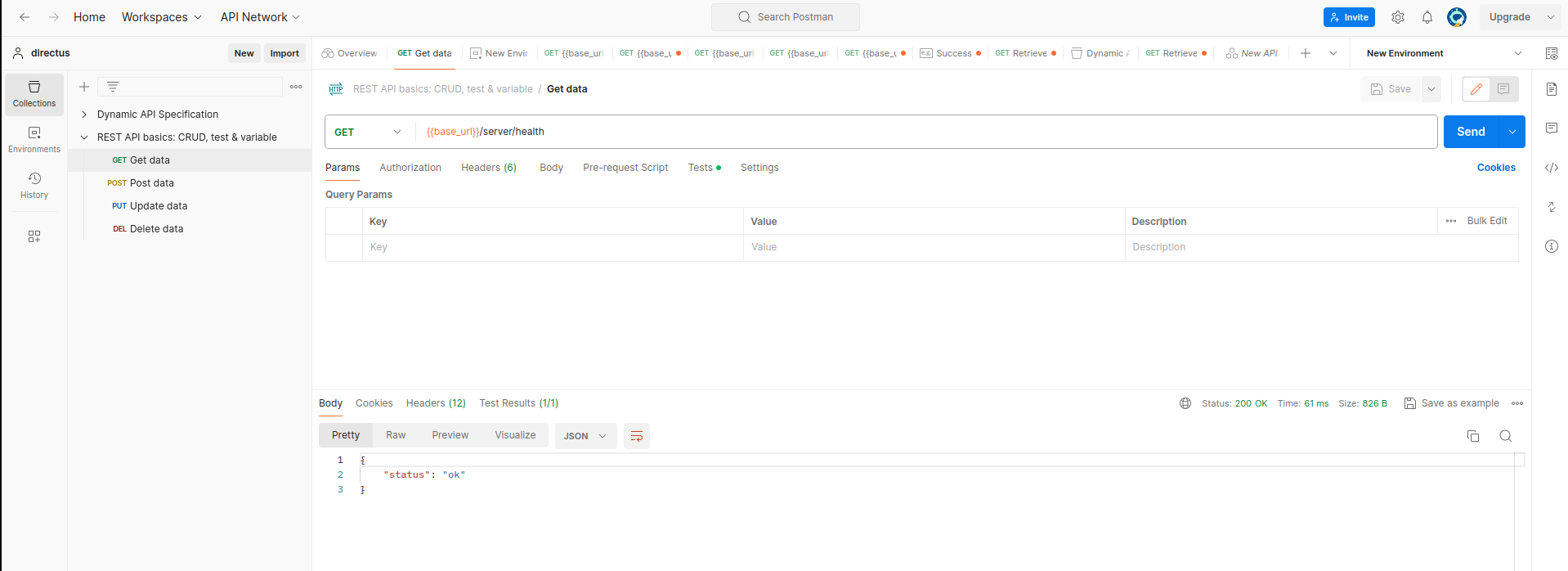
### Postmanで確認
environmentのbase\_urlにdirectusのアドレスを入力してAPIの動作を確認
### Curlコマンドで確認
[https://linuxize.com/post/curl-rest-api/](https://linuxize.com/post/curl-rest-api/)
**GET** : `-X GET` はデフォルト
```auto
$ curl https://jsonplaceholder.typicode.com/posts
$ curl https://jsonplaceholder.typicode.com/posts?userId=1
```
**POST**
```auto
$ curl -X POST -d "userId=5&title=Hello World&body=Post body." https://jsonplaceholder.typicode.com/posts
```
**PUT**
```auto
$ curl -X PUT -d "userId=5&title=Hello World&body=Post body." https://jsonplaceholder.typicode.com/posts/5
```
**PATCH**
```auto
$ curl -X PUT -d "title=Hello Universe" https://jsonplaceholder.typicode.com/posts/5
```
**DELETE**
```auto
$ curl -X DELETE https://jsonplaceholder.typicode.com/posts/5
```
---
### Author:  [@tk-fuse](https://forum.ficusonline.com/u/tk-fuse)
#### Post date: [2024 年 2 月 15 日午前 2:44 UTC](https://forum.ficusonline.com/t/topic/506/6 "2024-02-15T02:44:12Z")
## 多言語対応
Directus側(バックエンド)とNuxt側(フロントエンド)で対応。
### Directus
翻訳ページの設定
> **[Translations | Directus Docs](https://directus.io/docs/configuration/translations)**
>
> Explore our resources and powerful data engine to build your projects confidently.
API
> **[Translations | Directus Docs](https://directus.io/docs/api/translations)**
>
> Explore our resources and powerful data engine to build your projects confidently.
### Nuxt
多言語対応パッケージのインストール
[https://www.npmjs.com/package/@nuxtjs/i18n](https://www.npmjs.com/package/@nuxtjs/i18n)
> **[Installation](https://i18n.nuxtjs.org/docs/getting-started)**
>
> Get started with Nuxt i18n module.
```auto
# pnpm add -D @nuxtjs/i18n
```
デフォルト言語を英語、英語と日本語に対応する場合の設定例
`nuxt.config.ts`
```auto
export default defineNuxtConfig({
modules: ['@nuxtjs/i18n']
// Internationalization - https://i18n.nuxtjs.org/
i18n: {
locales: [
{
code: 'en',
name: 'EN',
iso: 'en-US',
file: 'en-US.js'
},
{
code: 'ja',
name: 'JP',
iso: 'ja-JP',
file: 'ja-JP.js'
}
],
strategy: 'prefix_except_default',
lazy: true,
langDir: 'lang',
defaultLocale: 'en', // default locale of your project for Nuxt pages and routings
detectBrowserLanguage: {
useCookie: false
}
},
```
* * *
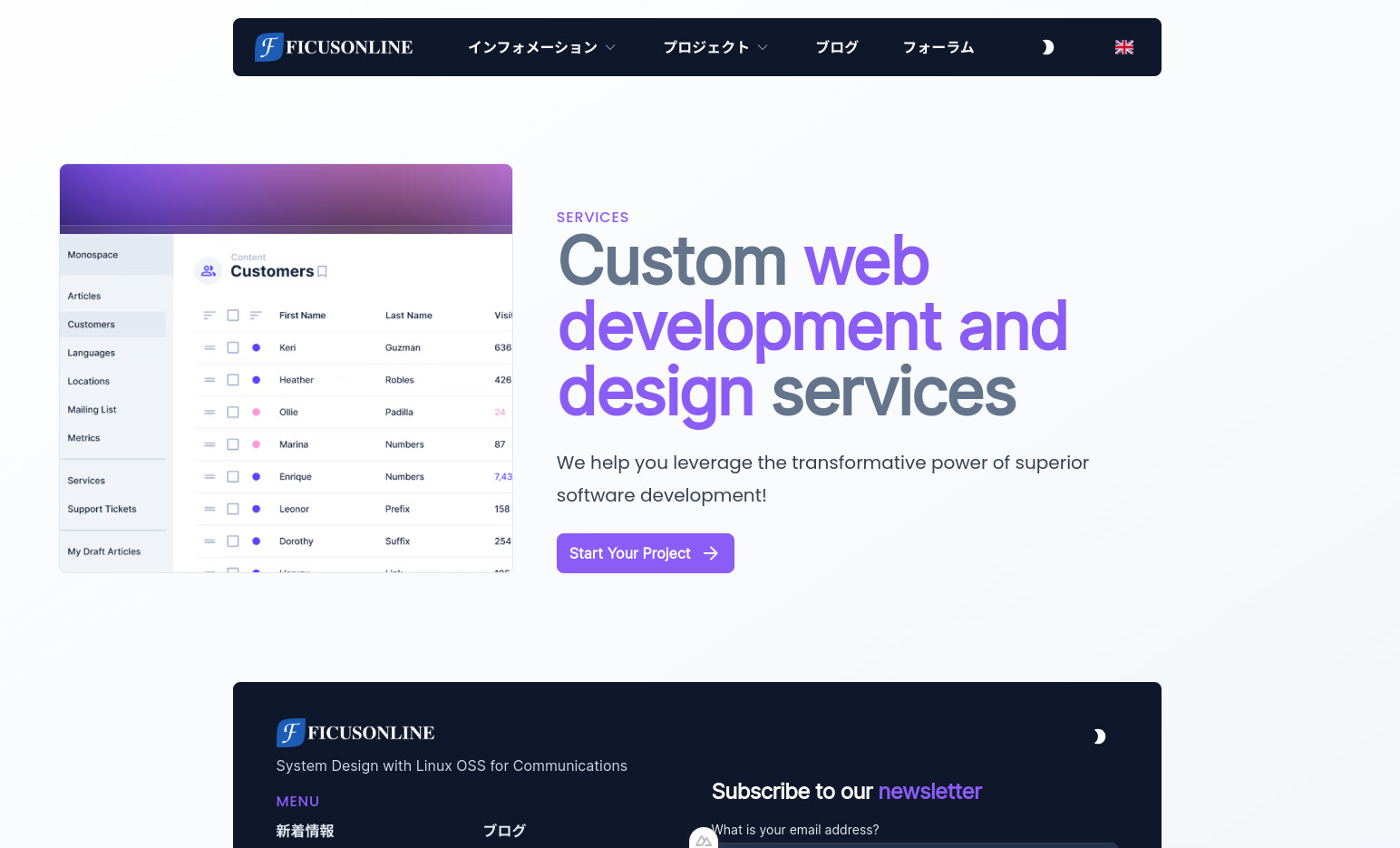
ナビゲーションバーへ追加する言語切替スイッチコンポーネントを新規に作成
`components/LangSwitcher.vue`
```ini
```
ヘッダーテンプレートに``ブロック追加
`components/navigation/TheHeader.vue`
```ini
```
**テンプレートがロケールフィールドを変数として取得する場合**
`xxx.vue`
```ini
{{ localeTranslation?.summary }}
```
**テンプレートがロケールフィールドを関数から取得する場合**
`xxx.vue`
```ini
```
* * *
## SEO対応
> **[SEO](https://i18n.nuxtjs.org/docs/guide/seo)**
>
> When the \`useLocaleHead\` is called, @nuxtjs/i18n attempts to add some metadata to improve your pages SEO. Here's what it does.
タグにlang=ja-JP or en-USを追加
`agency-os/layouts/default.vue`
```auto
.....
.....
.....
.....
```
### [Parameters](https://v8.i18n.nuxtjs.org/api/composables#parameters)
#### [`options`](https://v8.i18n.nuxtjs.org/api/composables#options)
An object accepting the following optional fields:
- `addDirAttribute`
**Type** : `Boolean`
Adds a `dir` attribute to the HTML element. default `false`.
- `addSeoAttributes`
**Type** : `boolean | SeoAttributesOptions`
Adds various SEO attributes. default `false`.
- `identifierAttribute`
**Type** : `String`
Identifier attribute of `` tag, default `'hid'`.
---
### Author:  [@tk-fuse](https://forum.ficusonline.com/u/tk-fuse)
#### Post date: [2024 年 2 月 17 日午前 6:50 UTC](https://forum.ficusonline.com/t/topic/506/7 "2024-02-17T06:50:01Z")
## サイトのカスタマイズ
Nuxt.jsとTailwindによるフロントエンドデザイン
### フレームワーク:Nuxt, Vue.js
[https://nuxt.com/docs/getting-started/views](https://nuxt.com/docs/getting-started/views)
> **[app.vue · Nuxt Directory Structure v4](https://nuxt.com/docs/4.x/directory-structure/app/app)**
>
> The app.vue file is the main component of your Nuxt application.
> **[Vue.js](https://vuejs.org/guide/essentials/list.html)**
>
> Vue.js - The Progressive JavaScript Framework
### CSS:Tailwind
> **[background-color - Backgrounds](https://tailwindcss.com/docs/background-color)**
>
> Utilities for controlling an element's background color.
CSSクラスでダークモードとライトモードの指定可
`tailwind.config.ts`
```auto
.....
.....
export default {
darkMode: 'class',
.....
.....
```
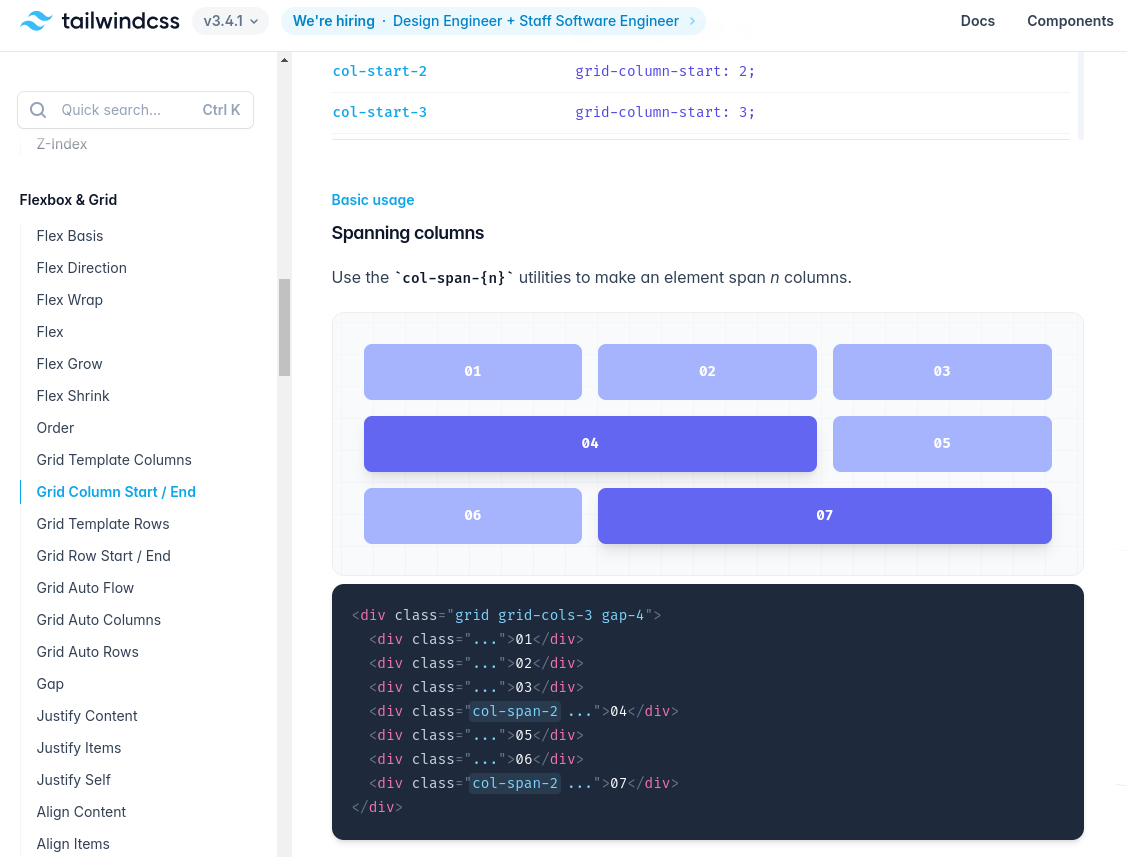
**グリッド**
> **[grid-column - Flexbox & Grid](https://tailwindcss.com/docs/grid-column)**
>
> Utilities for controlling how elements are sized and placed across grid columns.
* * *
フォームのビューモードをダークで固定
`components/base/UForm.vue`
```ini
.....
.....
.....
.....
```
* * *
### アイコン(Nuxtモジュール)
Add [200,000+ ready to use icons](https://icones.js.org/) to your [Nuxt](https://nuxt.com/) application, based on [Iconify](https://iconify.design/).
> **[GitHub - nuxt/icon: The \ component, supporting Iconify, Emojis...](https://github.com/nuxt/icon)**
>
> The \ component, supporting Iconify, Emojis and custom components.
> **[Iconify - home of open source icons](https://icon-sets.iconify.design/)**
>
> Open source vector icons from all popular icon sets
* * *
**デフォルトの表示設定**
`layouts/default.vue`
```sh
```
* * *
### ページの割付
> **[Vue Pagination Component - Nuxt UI](https://ui.nuxt.com/docs/components/pagination)**
>
> A list of buttons or links to navigate through pages.
```ini
```
* * *
### デフォルト表示モード:ライト/ダーク
`agency-os/components/DarkModeToggle.vue`
```auto
```
* * *
`@tailwindcss/typography` により、``タグに以下のcssプロパティが自動で適用されるため( " ` " が文字列の前後に付与)、`assets/css/main.css`にCSSプロパティを追加(追加後再ビルド)。
```auto
.prose code::before {
content: "`";
}
.prose code::after {
content: "`";
}
```
追加プロパティ
`assets/css/main.css`
```css
.prose code::before,
.prose code::after {
content: none !important;
}
.prose pre {
margin-top: 0.25rem;
}
.prose p {
margin-top: 0.25em;
margin-bottom: 0.25em;
}
```
---
### Author:  [@tk-fuse](https://forum.ficusonline.com/u/tk-fuse)
#### Post date: [2024 年 3 月 31 日午前 9:47 UTC](https://forum.ficusonline.com/t/topic/506/12 "2024-03-31T09:47:28Z")
## DevモードからProductionモードへの移行
### agency-os/.env
コンテナのローカルIPアドレスからドメインへ変更
変更前
```auto
DIRECTUS_URL="http://172.xx.xx.1:8055"
DIRECTUS_SERVER_TOKEN="cE4_7r4JaphkuYDhnSjnXZE9-kAGlbNI"
NUXT_PUBLIC_SITE_URL="http://172.xx.xx.1:3000"
```
変更後
```auto
DIRECTUS_URL="https://api_test.example.com"
DIRECTUS_SERVER_TOKEN="xxxxxxxxxxxxxxxxxxxxxx"
NUXT_PUBLIC_SITE_URL="https://test.example.com"
```
### agency-os/nuxt.config.ts
環境変数で指定されているので `http://localhost:3000` はそのままで可。
```auto
siteUrl: process.env.NUXT_PUBLIC_SITE_URL || 'http://localhost:3000',
```
### データベースの操作
ローカル環境で作成したコンテンツの画像リンク先を修正。
> [@PostgreSQL](https://forum.ficusonline.com/t/topic/507/2):
>
> pgAdmin クエリ実行 テーブルposts.translationsのcontent内のurlを置換え UPDATE public.posts\_translations SET content = REPLACE(content, 'http://localhost:8055', 'https://api.fic…
### ビルド
コンテナ内でビルド
```auto
$ docker compose exec agency-os bash
# pnpm build
```
### pnpm dev から pnpm start へ変更
コンテナ内でビルドコマンドを実行(コードを編集した場合やコンテンツを追加した場合にも実行)。
```js
# pnpm build
```
上記ビルドコマンドを実行し./outputフォルダが作成されたらnodeコマンドで起動。
`docker-compose.yaml`
```bash
# entrypoint: ["/bin/bash"] # Initial entry point. need to execute "pnpm i" then "pnpm build" or start debug mode "pnpm dev"
entrypoint: ["node", ".output/server/index.mjs"] # after "pnpm build" for running static pages
```
環境変数は以下参照。必要に応じてdocker-compose.yamlのenvironmentセクション、または.envファイルに記載。
> **[General | Directus Docs](https://directus.io/docs/configuration/general)**
>
> Explore our resources and powerful data engine to build your projects confidently.
上記スクリプトコマンドは以下参照。
`agency-os/package.json`
```auto
{
"private": true,
"scripts": {
"build": "nuxt build",
"dev": "nuxt dev",
"start": "nuxt start",
"generate": "nuxt generate",
"preview": "nuxt preview",
"postinstall": "nuxt prepare",
"typecheck": "nuxt typecheck",
"lint": "eslint --cache .",
"format": "prettier --write \"**/*.{md,y?(a)ml,json,vue}\""
},
```
コンテナ内でドメイン名を解決するため、directusとagency-os各サービスに以下のセクションを追加。
ただし、directusのセクションのみ
**` PUBLIC_URL: 'http://api_test.ficusonline.com'`**
を追加
`docker-compose.yaml`
```auto
### directus,agency-osセクションに追加(Dev・Productionモードで共に指定可)
extra_hosts:
- "api.example.com:172.22.0.1"
- "www.example.com:172.22.0.1"
### directusセクションのみ追加(Devモードではコメントアウト)
environment:
PUBLIC_URL: 'https://api_test.example.com'
```
---
### Author:  [@tk-fuse](https://forum.ficusonline.com/u/tk-fuse)
#### Post date: [2024 年 4 月 9 日午後 1:45 UTC](https://forum.ficusonline.com/t/topic/506/13 "2024-04-09T13:45:14Z")
## トラブルシュート
### agency-osビルドエラー
>
アプリケーションに割当てられるメモリーが少ないため発生するエラー。
pnpmによるdev.build,start各コマンドを、メモリーサイズオプションを追加したnodeコマンドで代替。
`agency-os/package.json`
```auto
{
"private": true,
"scripts": {
"build": "node --max-old-space-size=4096 node_modules/nuxt/bin/nuxt.mjs build",
"dev": "node --max-old-space-size=4096 node_modules/nuxt/bin/nuxt.mjs dev",
"start": "node --max-old-space-size=4096 node_modules/nuxt/bin/nuxt.mjs start",
"generate": "nuxt generate",
"preview": "nuxt preview",
"postinstall": "nuxt prepare",
"typecheck": "nuxt typecheck",
"lint": "eslint --cache .",
"format": "prettier --write \"**/*.{md,y?(a)ml,json,vue}\""
},
```
>
---
### Author:  [@tk-fuse](https://forum.ficusonline.com/u/tk-fuse)
#### Post date: [2024 年 4 月 17 日午前 8:56 UTC](https://forum.ficusonline.com/t/topic/506/14 "2024-04-17T08:56:41Z")
## OG(Open Graph) イメージ
#### OGイメージの作成例
> **[Tutorial: Your first OG Image · Nuxt OG Image · Nuxt SEO](https://nuxtseo.com/docs/og-image/getting-started/getting-familiar-with-nuxt-og-image)**
>
> Get started with the module by setting up your first og:image on your home page.
pages/index.vue
```auto
```
#### Devツールで表示確認
(`Ctrl` + `K` ) and typing `og` .
#### 出力結果

* * *
### Nuxt Color Modeとの併用
> **[Nuxt Color Mode · Nuxt OG Image · Nuxt SEO](https://nuxtseo.com/docs/og-image/integrations/color-mode)**
>
> How to use the Nuxt OG Image module with Nuxt Color Mode.
> **[Nuxt Color Mode](https://color-mode.nuxtjs.org/)**
>
> Dark and light mode with auto detection made easy with Nuxt 🌗
---
### Author:  [@tk-fuse](https://forum.ficusonline.com/u/tk-fuse)
#### Post date: [2024 年 4 月 22 日午前 2:45 UTC](https://forum.ficusonline.com/t/topic/506/15 "2024-04-22T02:45:42Z")
## メタデータ
SEO対策としてメタデータを作成
[https://nuxt.com/docs/getting-started/seo-meta](https://nuxt.com/docs/getting-started/seo-meta)
メタデータをサーバサイドで作成: **`useServerSeoMeta`**
> **[useServerSeoMeta · Nuxt Composables v4](https://nuxt.com/docs/4.x/api/composables/use-server-seo-meta)**
>
> The useServerSeoMeta composable lets you define your site's SEO meta tags as a flat object with full TypeScript support.
---
### Author:  [@tk-fuse](https://forum.ficusonline.com/u/tk-fuse)
#### Post date: [2024 年 12 月 30 日午前 5:57 UTC](https://forum.ficusonline.com/t/topic/506/16 "2024-12-30T05:57:37Z")
## AgencyOSアップデート
#### Directusをv.10からv.11へアップデート
directus-template-cliのv.11への対応
> **注)既に対応済のため下記は参考扱い**
>
>
> \- Updated to work with V11 access policies
> \- Better error handling and write lo…gs to files for easier sharing
> \- Programmatic mode for apply and extract commands
> \- Partial template application through flags
>
>
> Please see README for other details and changes.
>
> A beta version is now published and you can test it using @beta tag
> \`npx directus-template-cli@beta apply\`
> or
> \`npx directus-template-cli@beta extract\`
一度テンプレートをバックアップし…
```shell
# npx directus-template-cli@beta extract
```
上記テンプレートを読み込みます
```shell
# npx directus-template-cli@beta apply
```
* * *
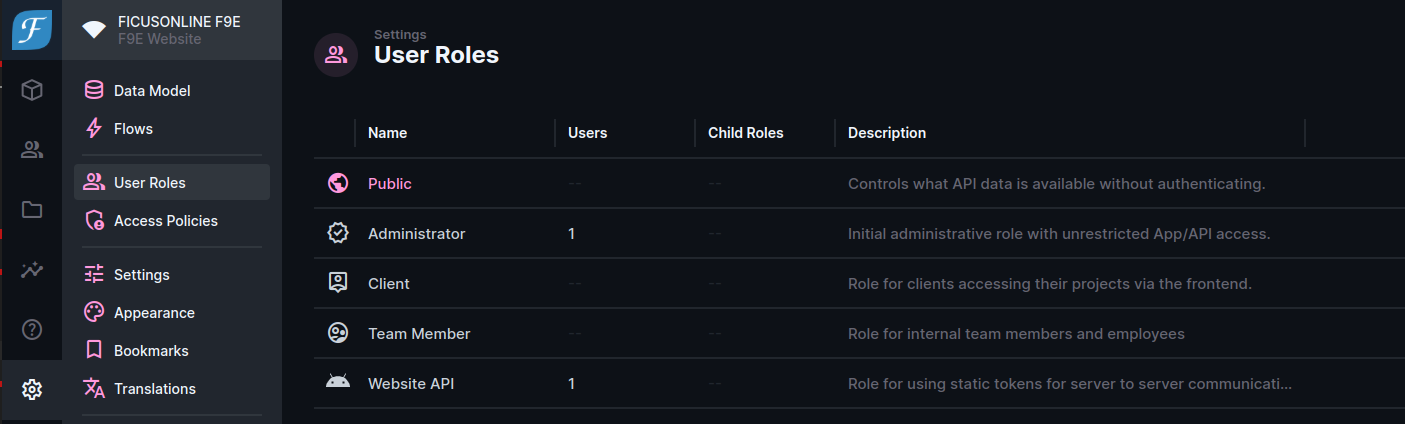
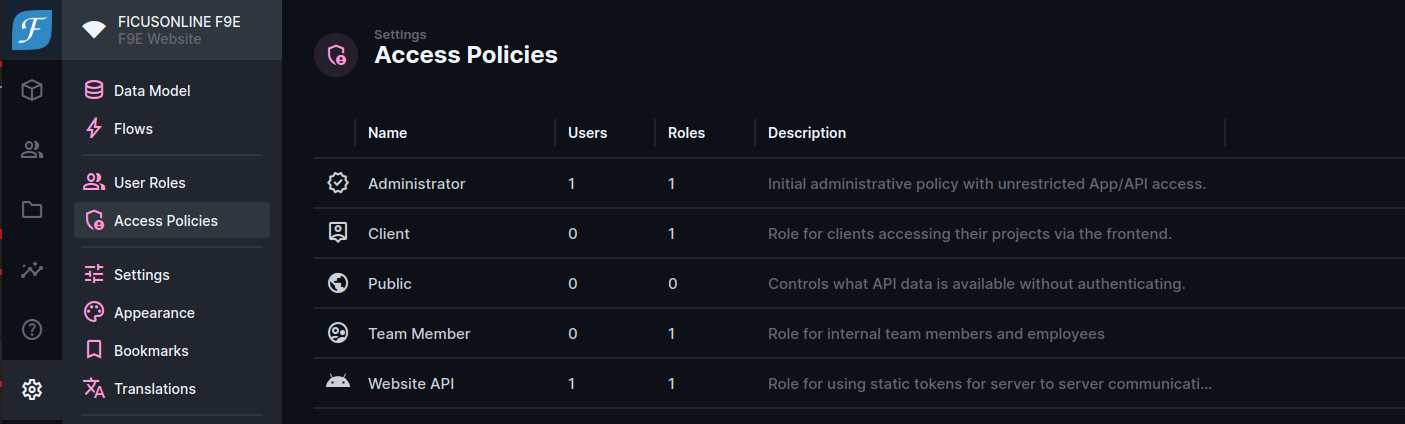
#### Directus v.11で変更となったポリシーに基づいたアクセス制限
[https://docs.directus.io/blog/understanding-policy-based-access-control.html](https://docs.directus.io/blog/understanding-policy-based-access-control.html)
ユーザロールとアクセスポリシーへの対応
* * *
#### SEO対策
> **[Search Engine Optimization Best Practices | Directus Docs](https://directus.io/docs/tutorials/tips-and-tricks/search-engine-optimization-best-practices)**
>
> Explore our resources and powerful data engine to build your projects confidently.
* * *
#### コミット履歴に従いコード修正、不要となったファイルを削除
> **[Commits · directus-labs/agency-os](https://github.com/directus-labs/agency-os/commits/main/)**
>
> The open source operating system for digital agencies. Built with Directus and Nuxt. - Commits · directus-labs/agency-os
* * *
#### パッケージ更新(Node v.23のDockerイメージを使用)
`dockerfile`
```auto
### This dockerfile: to build the new image for the pnpm package manager using Agency-OS
# $ docker build --no-cache -t debian:node23-slim .
### Start Agency-OS frontend as a container with the created image file
# $ docker run -it --rm --name my-running-script -p 3000:3000 -v ./agency-os:/app -w /app debian:node23-slim bash -c "pnpm i && pnpm dev"
### https://hub.docker.com/_/debian
FROM debian:stable-slim
RUN apt-get update && apt-get install -y nano curl
RUN curl -fsSL https://deb.nodesource.com/setup_23.x | bash - && apt-get install -y nodejs
RUN corepack enable pnpm
```
`package.json`
```js
{
"type": "module",
"private": true,
"scripts": {
"build": "node --max-old-space-size=4096 node_modules/nuxt/bin/nuxt.mjs build",
"dev": "node --max-old-space-size=4096 node_modules/nuxt/bin/nuxt.mjs dev",
"start": "node --max-old-space-size=4096 node_modules/nuxt/bin/nuxt.mjs start",
"generate": "node --max-old-space-size=4096 node_modules/nuxt/bin/nuxt.mjs generate",
"preview": "nuxt preview",
"postinstall": "nuxt prepare",
"typecheck": "nuxt typecheck",
"lint": "eslint --cache .",
"format": "prettier --write \"**/*.{md,y?(a)ml,json,vue}\""
},
"devDependencies": {
"@iconify-json/heroicons": "^1.2.2",
"@iconify-json/material-symbols": "^1.2.12",
"@iconify-json/mdi": "^1.2.2",
"@nuxtjs/eslint-config-typescript": "^12.1.0",
"@nuxtjs/eslint-module": "^4.1.0",
"@nuxtjs/tailwindcss": "^6.12.2",
"@tailwindcss/forms": "^0.5.9",
"@tailwindcss/typography": "^0.5.15",
"@types/uuid": "^10.0.0",
"@vueuse/core": "^12.3.0",
"@vueuse/nuxt": "^12.3.0",
"eslint": "8.57.1",
"eslint-config-prettier": "^9.1.0",
"eslint-plugin-prettier": "^5.2.1",
"eslint-plugin-vue": "^9.32.0",
"prettier": "^3.4.2",
"typescript": "^5.7.2",
"vue-tsc": "2.1.6"
},
"dependencies": {
"@directus/sdk": "^18.0.3",
"@formkit/auto-animate": "^0.8.2",
"@headlessui/vue": "^1.7.23",
"@nuxt/icon": "^1.10.3",
"@nuxt/image": "^1.8.1",
"@nuxt/ui": "^2.20.0",
"@nuxtjs/color-mode": "^3.5.2",
"@nuxtjs/google-adsense": "^3.0.0",
"@nuxtjs/google-fonts": "^3.2.0",
"@nuxtjs/i18n": "^9.0.0",
"@nuxtjs/seo": "^2.0.2",
"@nuxtjs/sitemap": "^7.0.1",
"@stripe/stripe-js": "^4.10.0",
"@vueuse/motion": "^2.2.6",
"highlight.js": "^11.11.1",
"jwt-decode": "^4.0.0",
"markdown-it": "^14.1.0",
"micromark": "^4.0.1",
"micromark-extension-gfm": "^3.0.0",
"nuxt": "^3.15.0",
"nuxt-og-image": "^4.0.2",
"stripe": "^16.12.0",
"uuid": "^10.0.0",
"v-perfect-signature": "^1.4.0",
"vue": "^3.5.13",
"vue-dompurify-html": "^5.2.0"
},
"packageManager": "pnpm@9.15.2",
"engines": {
"node": ">=18.0.0",
"pnpm": ">=8.6.0"
}
}
```
---
### Author:  [@tk-fuse](https://forum.ficusonline.com/u/tk-fuse)
#### Post date: [2025 年 12 月 16 日午後 1:19 UTC](https://forum.ficusonline.com/t/topic/506/17 "2025-12-16T13:19:42Z")
## ビルド方法
### agency-osのdockerfileをマルチステージとし、ビルドとランタイムで分離。
`dockerfile`
```yaml
# ----------------------------------------------------------------------
# Stage1 builder:Build Stage
# ----------------------------------------------------------------------
FROM node:24-alpine AS builder
WORKDIR /app
COPY agency-os /app
RUN npm install -g pnpm
RUN pnpm install --frozen-lockfile
RUN pnpm build
# ----------------------------------------------------------------------
# Stage2 runtime:Run Stage
# ----------------------------------------------------------------------
FROM node:24-alpine AS runtime
ENV NODE_ENV=production
WORKDIR /app
COPY --from=builder /app/.output /app/.output
CMD ["node", "./.output/server/index.mjs"]
```
* * *
(1)docker-composeファイルでビルド指定
`docker-compose.yml`
```yaml
....
....
agency-os:
container_name: agency-os
build:
context: ./
dockerfile: dockerfile
target: runtime
....
....
```
* * *
(2)キャッシュ無しでビルドし、docker-composeファイルでカスタムイメージを指定。
```auto
$ docker build -t --no-cache aos:20251216 .
```
`docker-compose.yml`
```yaml
.....
.....
agency-os:
container_name: agency-os
image: aos:20251216
.....
.....
```
(3)ターゲットに`builder`を指定しイメージを作成。作成したイメージをdocker-composeファイルで指定。
```auto
$ docker build --no-cache --target builder -t aos_builder:20260301 .
```
> 注)リモートからdevモードで稼働しているサーバへアクセスするため、SSHでリモート側のhttp://localhost:3001へのアクセスを、サーバ側のhttp://localhost:3000へリダイレクト。
`docker-compose.yml`
```yaml
.....
.....
agency-os:
container_name: agency-os
image: aos_builder:20260301
### Port direct from remote pc 3001 ---> server port 3000
### $ ssh -L 3001:localhost:3000 user@vm-server
command: pnpm dev --host 0.0.0.0 --force
.....
.....
```
コンテナ内でパッケージをインストールするため、dockerビルド時に下記のコピーは除外。
`.dockerignore`
```auto
agency-os/node_modules
agency-os/.output
agency-os/.pnpm-store
agency-os/.nuxt
```
* * *
### nodeコンテナで直接ビルド(推奨)
> 注)APIへのアクセスが必要になるため、Directusは稼働していること。
ホストPCでnodeコンテナを利用してビルド。環境変数を.envファイルで引渡し、かつcloudflareのAPIアクセス制限回避(ブラウザ以外のAPIアクセスを制限する設定)のため、–add-hostオプションでAPIのURLとしてコンテナIPを指定。
```shell
$ docker run --rm -it --env-file ./agency-os/.env --add-host api.ficusonline.com:172.19.3.1 -v "$(pwd)/agency-os:/app" -w /app node:24-alpine sh -c "npm install -g pnpm && pnpm install --frozen-lockfile && pnpm build"
```
`docker-compose.yml`
```auto
.....
.....
image: node:24-alpine
working_dir: /app
volumes:
- ./agency-os/.output:/app/.output
command: ["node", "./.output/server/index.mjs"]
.....
.....
```
* * *
補足:directusイメージを11.14へアップデート
---
### Author:  [@tk-fuse](https://forum.ficusonline.com/u/tk-fuse)
#### Post date: [2026 年 2 月 26 日午後 1:59 UTC](https://forum.ficusonline.com/t/topic/506/18 "2026-02-26T13:59:17Z")
## ヘッダーメニューロゴ、フッターロゴ、SNSロゴ非表示エラー
$ pnpm build の際にdirectusのapiにアクセスして`globals`変数を読み込む必要があるため、directus(api)が起動していなかったために生じたエラー。
`modules/directus/index.ts`
```auto
try {
// Add Globals
const globals = await directus.request>(readSingleton('globals'));
nuxt.options.appConfig.globals = defu(nuxt.options.appConfig.globals, globals);
log.success('Globals loaded into appConfig');
// Add title template to the app head for use with useHead composable
nuxt.options.app.head.titleTemplate = `%s - ${globals?.title ?? 'Agency OS'}`;
} catch (error) {
nuxt.options.app.head.titleTemplate = '%s - Agency OS';
log.warn('Unable to load redirects due to the following error');
log.error(error);
log.warn(`Please ensure the directus instance is reachable at ${moduleOptions.rest.baseUrl}.`);
}
```
## ユーザ認証401エラー
> GET [https://www.ficusonline.com/api/proxy/users/me?fields=\*%2Ccontacts.](https://www.ficusonline.com/api/proxy/users/me?fields=*%2Ccontacts.)\* 401 (Unauthorized)
**authPlugin** 無効(コメントアウト)
`modules/directus/index.ts`
```auto
// Add plugins
const restPlugin = resolve(runtimeDir, './plugins/directus');
const authPlugin = resolve(runtimeDir, './plugins/auth');
addPlugin(restPlugin, { append: true });
//addPlugin(authPlugin, { append: true });
```
---
### Author:  [@tk-fuse](https://forum.ficusonline.com/u/tk-fuse)
#### Post date: [2026 年 2 月 26 日午後 2:07 UTC](https://forum.ficusonline.com/t/topic/506/19 "2026-02-26T14:07:19Z")
## NuxtSEO
#### Config using Robots.txt
> **[Config using Robots.txt · Nuxt Robots · Nuxt SEO](https://nuxtseo.com/docs/robots/guides/robots-txt)**
>
> Configure your generated robots.txt file with a robots.txt file.
> 注)Canonical URLは、URL・言語・パスの組合せで自動的に設定されるため、必要がなければ入力する必要はありません。入力する場合には必ずベースURLを含めること(パスだけではリンクは確立されるが、SEO上の問題として指摘されます)。

---
### Author:  [@tk-fuse](https://forum.ficusonline.com/u/tk-fuse)
#### Post date: [2026 年 4 月 24 日午前 5:59 UTC](https://forum.ficusonline.com/t/topic/506/20 "2026-04-24T05:59:06Z")
## コード修正・カスタマイズ
```auto
```
```auto
:href="`${currentLocale}/posts/${post.slug}`"
```
`currentLocale`でパスを指定すると、/en、/jaがURLに付加されるが、デフォルトの言語は`en`でパスは`/`のため`/en`を取り除くため`localPath`を使用。
```auto
:to="localePath(`/posts/${post.slug}`)"
```
以下のファイルで適用。
- pages/news.vue
- components/Categories.vue
- components/post/PostBlog.vue
- components/post/PostCard.vue
- pages/projects.vue
* * *
> 注)プレフィックスにデフォルト言語en除外
> strategy: ‘prefix\_except\_default’
`nuxt.config.ts`
```auto
// Internationalization - https://i18n.nuxtjs.org/
i18n: {
locales: [
{
code: 'en',
name: 'EN',
language: 'en-US',
file: 'en-US.js'
},
{
code: 'ja',
name: 'JP',
language: 'ja-JP',
file: 'ja-JP.js'
}
],
baseUrl: process.env.SITE_URL,
strategy: 'prefix_except_default',
lazy: true,
defaultLocale: 'en', // default locale of your project for Nuxt pages and routings
detectBrowserLanguage: {
useCookie: true,
cookieKey: 'i18n_redirected',
redirectOn: 'root'
}
},
```
`components/LangSwitcher.vue`
```auto
修正前:@click.prevent.stop="setLocale(locale.code)" */
修正後::to="switchLocalePath(locale.code)"
```
`layouts/default.vue`
```ts
```
* * *
### CSSカスタマイズ
Tailwindのcss設定を上書き。再ビルド後コンテナを再起動して反映。
```shell
$ docker run --rm -it --env-file ./agency-os/.env --add-host api.ficusonline.com:172.19.3.1 -v "$(pwd)/agency-os:/app" -w /app node:24-alpine sh -c "npm install -g pnpm && pnpm install --frozen-lockfile && pnpm build"
$ docker restart agency-os
```
`assets/css/main.css`
```css
.prose h2 {
font-size: 1.8em !important;
}
.prose hr {
margin-top: 0.5em !important;
margin-bottom: 0.5em !important;
}
.prose code::before,
.prose code::after {
content: none !important;
}
.prose pre {
margin-top: 0.25rem;
}
/* グローバルCSSなど */
.prose blockquote {
font-style: normal !important;
quotes: none !important;
}
/* Typographyプラグインが自動挿入する前後の引用符も消す */
.prose blockquote p:first-of-type::before,
.prose blockquote p:last-of-type::after {
content: none !important;
}
```